


TradingView is one of the most popular charting sites, and its free Basic plan is enough for many people. Still, there are good reasons to look elsewhere: you may want deeper company data, automatic chart tools, a simpler screener or a lower price.
This page compares the main TradingView alternatives, free and paid, and says who each one suits. Prices and trials come from the official pages and our reviews, and can change. It is general information, not advice on what to buy or how to trade.
If you mainly want charts, TradingView's own free plan may already be enough, and if you want something different, these four are the ones to look at first.
First, what TradingView’s free plan gives you
TradingView Basic is free with no card needed. Paid plans start at USD 12.95 a month billed yearly, or USD 14.95 billed monthly. Before you switch, check whether the free plan already covers what you need. Our TradingView pricing page lists the Basic limits and the free trial rules, and our TradingView review covers the rest.
TradingView alternatives at a glance
| Tool | Best for | Free plan | Paid from |
|---|---|---|---|
| Koyfin | Charts plus company and fund data | Yes | USD 39 a month billed yearly |
| TrendSpider | Automatic chart analysis, scans and backtests | No. Paid 14-day trial from USD 19 | USD 54 a month on the longest prepaid term |
| Finviz | Fast US stock screener with charts | Yes, delayed data | USD 24.96 a month billed yearly |
| Stock Rover | Long-term research on US and Canadian stocks | Yes | USD 29 a month billed yearly |
| Stock Analysis | Simple free screener and company data | Yes | USD 6.58 a month billed yearly |
| Yahoo Finance | Free quotes, news and portfolios | Yes | USD 9.95 a month |
Prices are in US dollars, from our reviews of each tool, and can change. Check the official page before you pay.
Koyfin: charts and research data, with a strong free plan
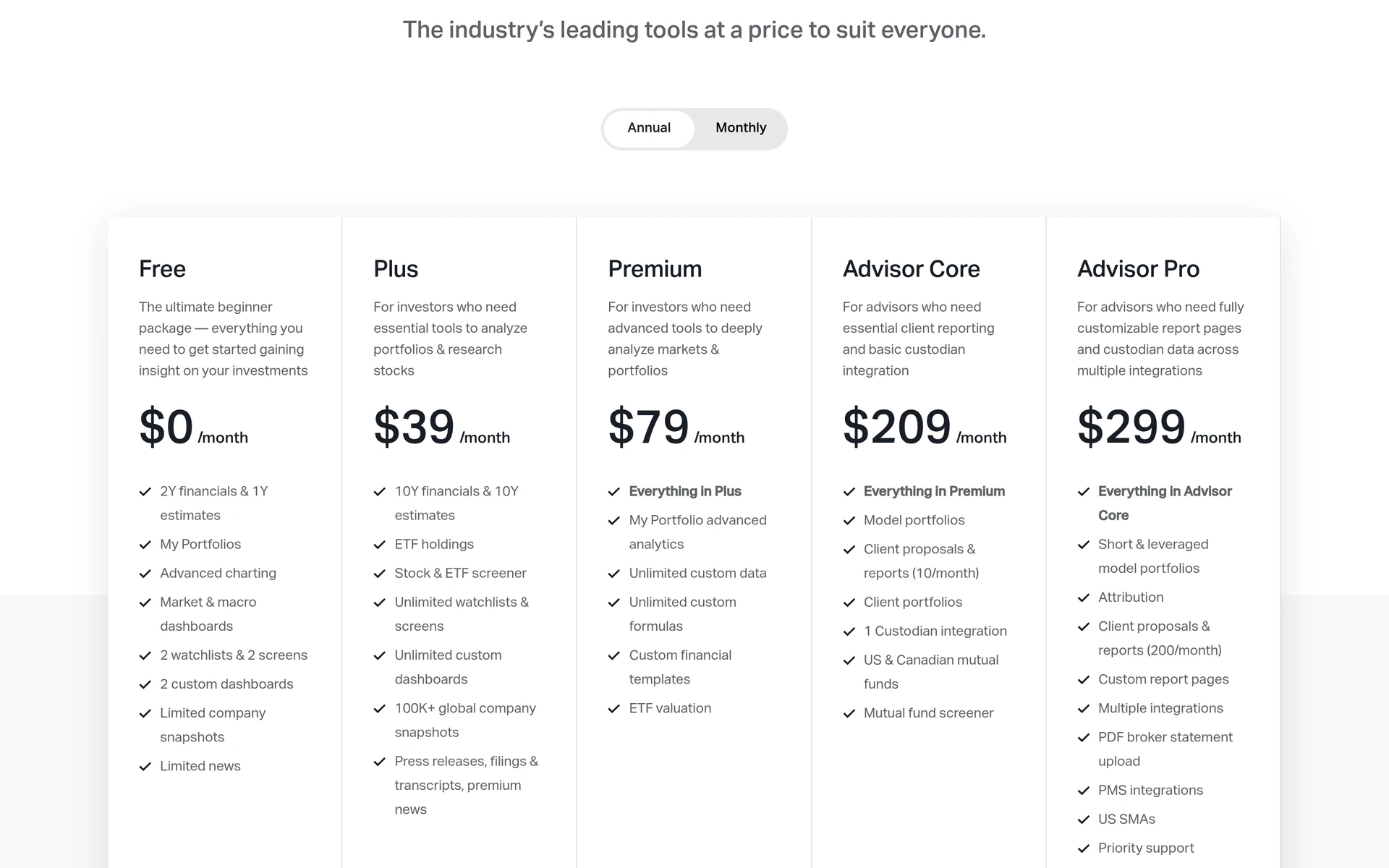
Koyfin feels closer to a research terminal than a trading chart. You get charts, financial statements, estimates, dashboards and screens in one place, for about 110,000 stocks in 209 markets. Prices outside the US and Canada are end of day.
- Free plan: two years of financials, two watchlists, two screens and custom dashboards.
- Paid: Plus from USD 39 a month billed yearly, with a 7-day free trial.
- Suits: long-term investors who want charts and company data together.
- Less suited to: active traders who need real-time data on many markets.
See our Koyfin review.
TrendSpider: the closest paid rival for chart analysis
TrendSpider focuses on automating chart work. It draws trendlines for you, offers 300+ indicators, and lets you run scans, backtests and trading bots.
- Free plan: none. There is a 14-day trial from USD 19, and trial fees are not refunded.
- Paid: Standard from USD 54 a month on the longest prepaid term, or USD 89 billed monthly.
- Suits: experienced chart users who want automation and backtesting.
- Less suited to: beginners and anyone outside US markets, since it focuses on US data.
See our TrendSpider review, or our side-by-side TrendSpider vs TradingView guide.
Finviz: a fast free screener with charts
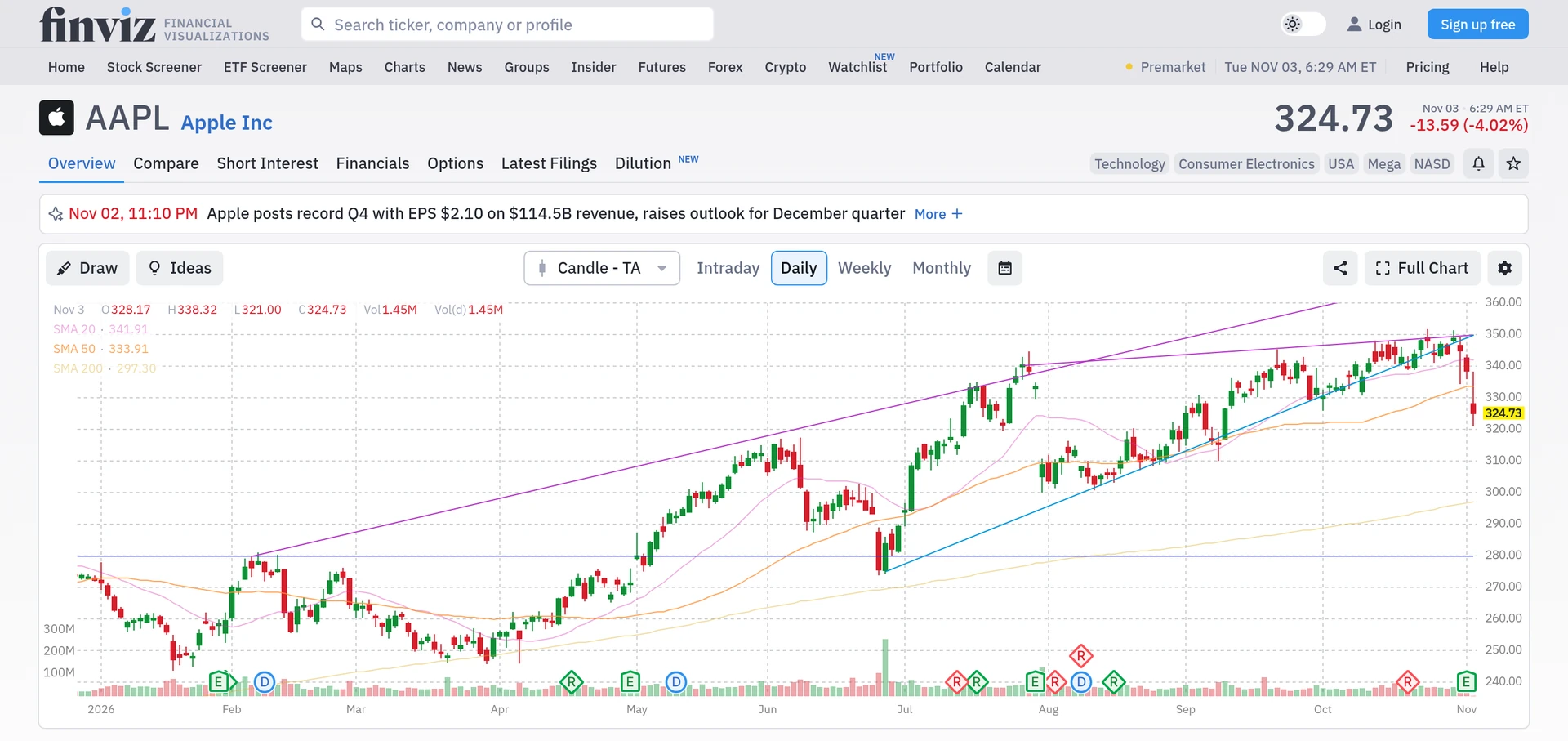
Finviz is best known for its stock screener and market maps. Every quote page has a chart, and the free version is enough to scan US stocks quickly.
- Free plan: yes, US stocks with delayed data.
- Paid: Elite from USD 24.96 a month billed yearly, adding real-time data, interactive charts with pattern recognition, alerts and data export. Refunds within 30 days.
- Suits: investors who screen US stocks and want a quick chart.
- Less suited to: anyone who trades outside the US or wants drawing tools on par with TradingView.
See our Finviz review.
Stock Rover: research over charts
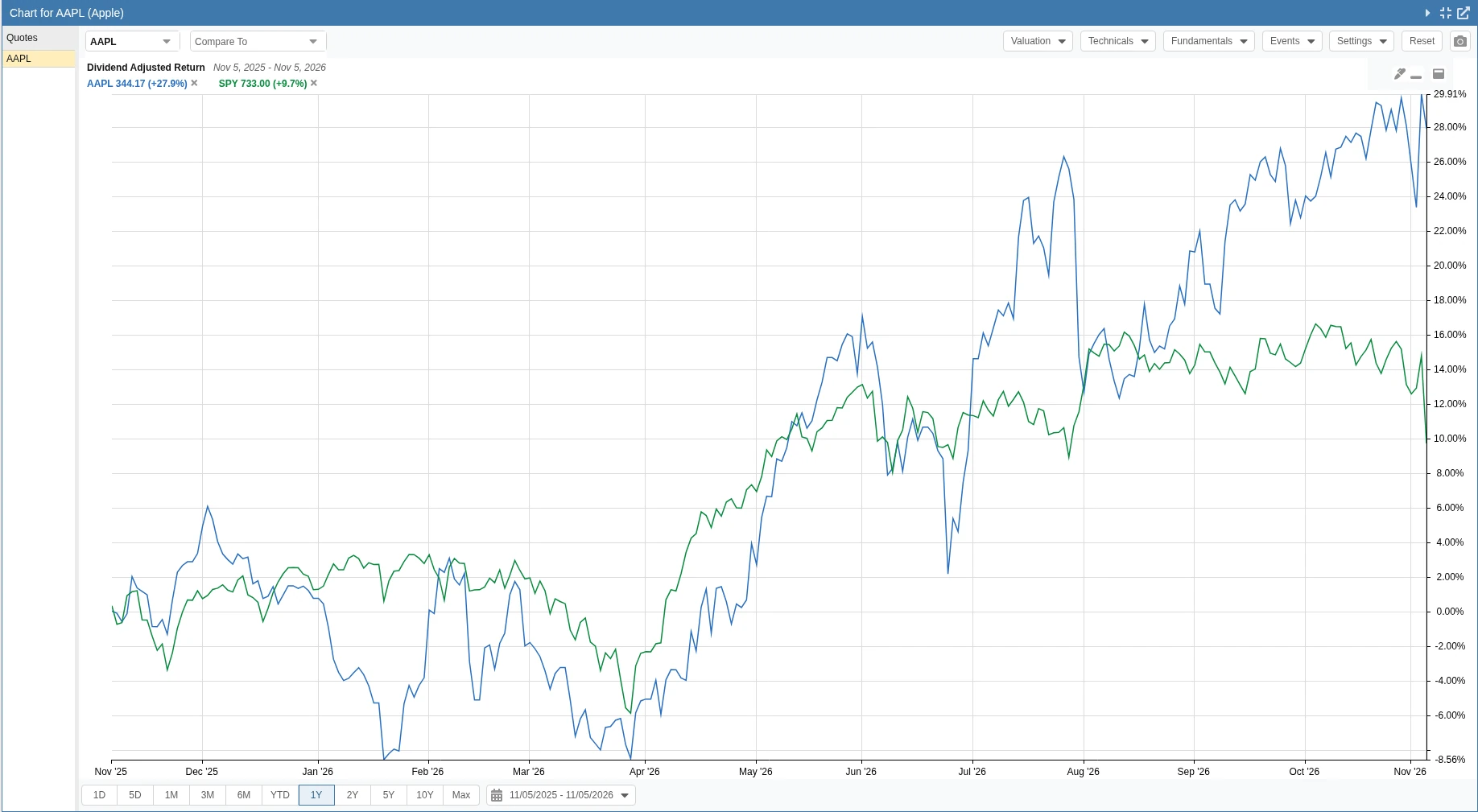
Stock Rover is not a charting platform in the TradingView sense. It is built for long-term research on US and Canadian stocks, with 300+ metrics, fair value estimates, screeners and portfolio tools.
- Free plan: yes.
- Paid: Premium from USD 29 a month billed yearly, with a 14-day free trial.
- Suits: long-term investors who care more about the numbers than the price chart.
- Less suited to: short-term traders.
See our Stock Rover review.
Other free options
- Stock Analysis: a free screener with 330 filters and clear company data. It is not built for advanced charts. Pro costs USD 6.58 a month billed yearly. See our Stock Analysis review.
- Yahoo Finance: free quotes, news and portfolios. The paid Gold plan adds premium charts and screeners. See our Yahoo Finance review.
How to choose
- You mainly want charts: stay on TradingView Basic, or compare it with Koyfin’s free plan. Our best charting tools ranking goes deeper.
- You want automation and backtests: TrendSpider.
- You want to find stocks quickly: Finviz or Stock Analysis.
- You invest for the long term: Koyfin or Stock Rover.
Charts and indicators show what a price has done. They do not tell you what it will do next. Use any of these tools for your own research, not as a signal to buy or sell.
Frequently asked questions
What is the best free alternative to TradingView?
It depends on what you use TradingView for. Koyfin’s free plan is strong for charts plus company data, and Finviz is a fast free screener with charts on every US quote page. Both are free without a card.
Is there anything better than TradingView for charts?
For automatic trendlines, scans and backtests, TrendSpider goes further than TradingView, but it has no free plan. For general charting, TradingView remains one of the most complete options, which is why many people stay on its free plan.
Is TradingView free?
Yes. The Basic plan is free forever and needs no card. Paid plans start at USD 12.95 a month billed yearly. See our TradingView pricing page.
Which TradingView alternative is best for long-term investors?
Koyfin and Stock Rover both focus on company data, valuation and portfolios rather than short-term charts. Stock Rover covers US and Canadian stocks; Koyfin covers many more markets.
Prices at a glance
Prices from each official pricing page. Prices can differ by region and may exclude tax.
Research, not advice. This article explains how tools work. It is general information, not a recommendation to buy or sell any investment, and not personal advice. Investing puts your capital at risk and you can get back less than you put in. Prices and plans change, so check the official site before you pay.
Some links on this page are affiliate links. If you subscribe through them we may earn a commission, at no extra cost to you. We score every tool on the same published criteria, using facts from official pages and our own testing. How we make money. This page is general information, not personal investment advice.
Read next
 ReviewKoyfin reviewDeep data, charts and dashboards with a real free plan. No own ratings or fair values.Read the review
 ReviewFinviz reviewA quick, free US screener. Elite adds real-time data, charts, alerts and export.Read the review

 ArticleBest Finviz alternatives in 2026, free and paidFinviz alternatives compared in plain English: free and paid stock screeners with more markets, deeper data or better charts, and who each suits.Read the article ArticleBest free stock screeners in 2026: what you really get freeThe best free stock screeners compared: filters, markets, saved screens and limits on the free plans of TradingView, Finviz, Stock Analysis and more.Read the article